
No articles found for “”.
Managing multiple entities
An entity is a company or business unit. One SpireSlip account can manage multiple entities, useful for groups of companies, subsidiaries, or accountants running payroll for several clients. Multi-entity is available on the Complete plan and above.
Creating a new entity
- Open Entities from the sidebar.
- Click Add entity (or + Add new entity under the company switcher).
- Enter the company name. RC number, state, TIN, and address are optional, add them as you have them.
- Save.
Quick actions per entity
From the Entities page, each active entity row has quick-action buttons: Run payroll (goes directly to the payroll run creation form for that entity), View runs (opens the payroll runs list for that entity), and Employees (opens the employee list for that entity). These actions switch your active entity context automatically.
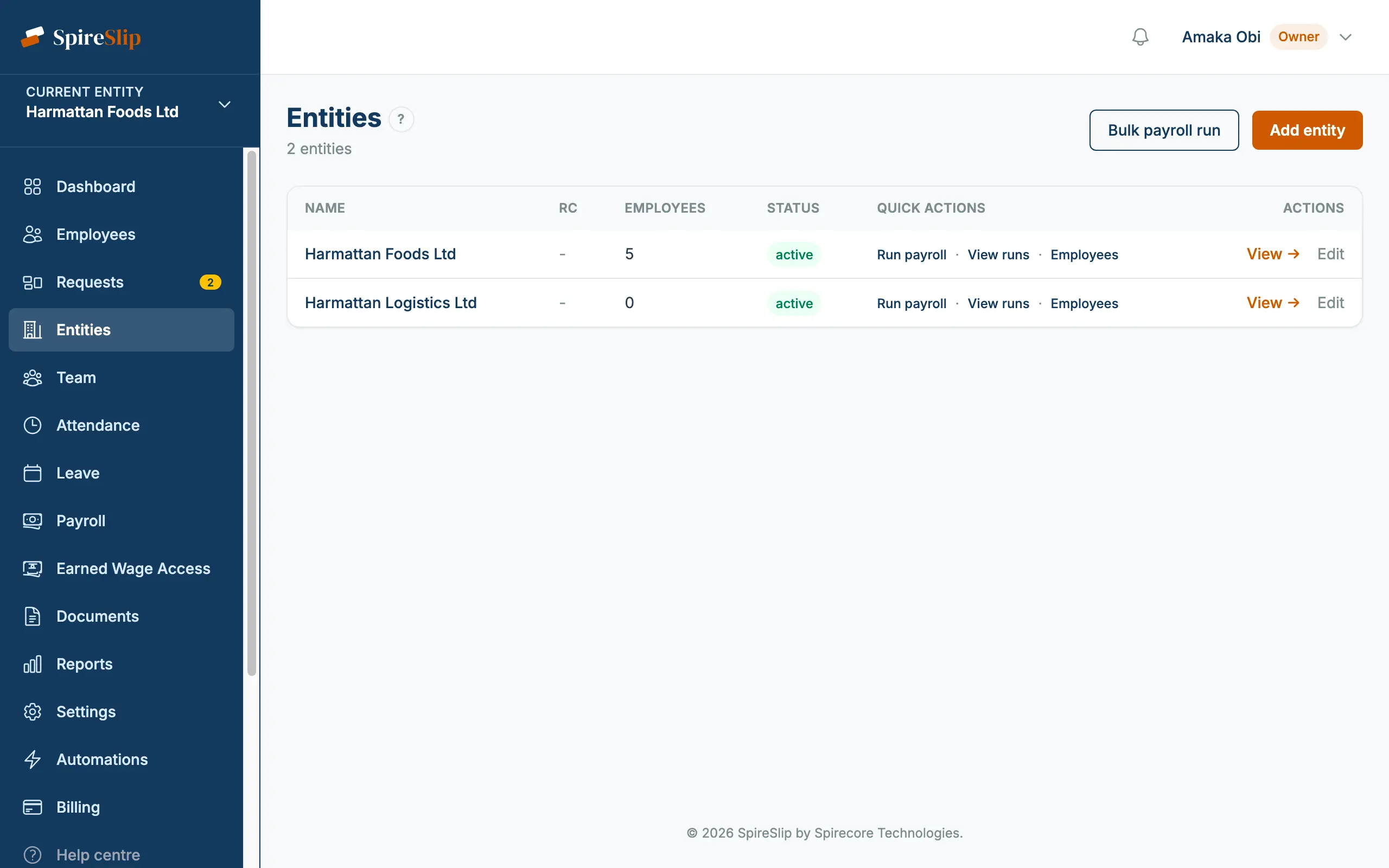
Switching between entities
Use the entity switcher in the top navigation. Click an entity to switch context, the page reloads and every list (employees, payroll runs, reports) is scoped to the selected entity. See Switching between entities for the details.
What's per-entity vs shared
Each entity has its own:
- Employees.
- Payroll runs and payslips.
- Filing records (PAYE, pension, NSITF, NHF).
- Settings, letterhead, disbursement provider keys, attendance policy, leave entitlements.
- Contracts and documents.
Shared across all entities:
- Team members (each with entity-scoped access).
- Billing, one subscription covers all entities.
- API keys.
When to use multiple entities
- A group of related companies, each with their own staff.
- Holding company + operating subsidiaries.
- Multiple business lines under one corporate umbrella where the payroll books need to stay separate.
- An accounting firm running payroll for several client companies, though the Accountant plan is purpose-built for this.
Bulk payroll across entities
If you're running payroll for multiple entities each month, the bulk payroll run feature lets you create draft runs for multiple entities in a single operation.